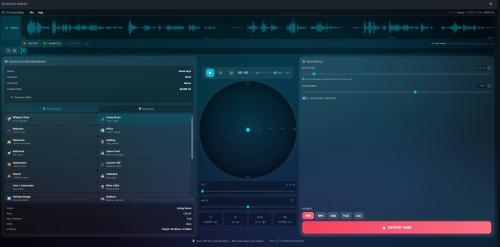
3D Audio Maker: Major Sound Quality Update My free 3D Audio Maker just received its biggest update since launch. The focus this time: making everything sound noticeably more natural — especially in large, reverberant spaces. A More Realistic Sense of Space The heart of this update is a completely reworked room simulation: Smoother, richer reverb. Large spaces like the church, cathedral and cave presets used to develop a slightly metallic ring in their long reverb tails. That ringing is gone — decays now sound dense, warm and natural all the way to silence. Reflections that follow the sound. When you move a sound source across the radar, the room now responds the way a real one would: place a sound on the left, and the early reflections arrive earlier and stronger from the left. The result is a much more convincing feeling of where a sound sits in the room. A wider, more natural stereo image. Reverb now spreads more openly between the speakers instead of sitting narrowly in the middle. Cleaner movement. Dragging the sound source or animating it with keyframes no longer produces subtle clicks or crackles — position changes and room-size changes are now perfectly smooth. More natural dynamics. Loud passages are handled more gently, so the reverb no longer "pumps" when the music gets intense. Fine-Tuned Room Presets I reviewed all 29 room presets and re-tuned several of them to take advantage of the new room engine. The canyon now delivers the powerful, repeating echo it always deserved, and the cathedral sounds like a vast continuous space instead of producing a noticeable slap-back echo. Better Exports Very long reverb and echo tails are no longer cut short in exported files — what you hear is what you get. Exporting several files in a row is now more reliable. Quality-of-Life Improvements The radar display is now pin-sharp on high-resolution screens. Dragging the sound source keeps working even if your cursor briefly leaves the radar — and touch input on tablets and phones is smoother, too. Damaged or incompatible project files now show a clear message instead of failing silently. Importing presets from a file is safer, and you'll be notified if your browser storage is full. The menus can now be operated entirely with the keyboard. A few remaining untranslated labels are now available in all 16 languages. As always, everything runs directly in your browser — your audio never leaves your device. Open the 3D Audio Maker, load a track and give the new cathedral preset a listen. You'll hear the difference within seconds. Visit: https://ende.app/creator-tools/3d-audio-maker
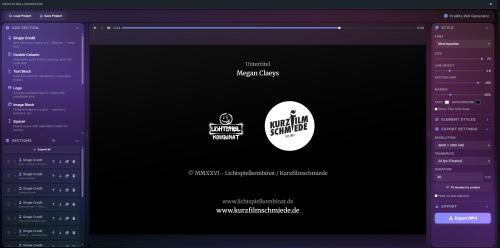
Credits Roll Generator — Big Update The Credits Roll Generator just received its largest update yet, packed with improvements that came directly from your feedback. Here is what's new: Two New Section Types Cast with Photos. Show your team or cast with headshots: photo, name and role arranged in a clean grid. Choose round or rectangular photos and adjust the number of photos per row, their width and height, and the spacing between them — from generous gaps to a seamless photo wall. Social Media. Add a row of social links with real platform icons: Instagram, TikTok, YouTube, Vimeo, Facebook, X, Twitch, LinkedIn, Discord, Spotify and a generic website globe. Just pick the platform, type your handle, and the icons render straight into your video. Hold on the Last Element By popular request: your credits no longer have to scroll all the way off the screen. Enable the new "Hold on last element" option in the export settings and the video will end with your final element centered on screen — and stay there for as many seconds as you like. Perfect for ending your credits with a website address, a QR code or your logo, without having to freeze-frame anything in your video editor afterwards. New Design Options Background image. Place a static image behind your credits — it is automatically scaled to fill the frame, and an adjustable darkening slider keeps your text readable on top of it. Letter spacing. Every text element now has a tracking control for that classic, widely spaced movie-credits look — D I R E C T E D B Y. Text alignment. Align your credits left, centered or right with a single click. Great for modern, off-center title designs. Easier Arranging of Sections See exactly where you drop. When dragging sections to reorder them, a clear insertion line now shows you precisely where the section will land. The list also scrolls automatically when you drag near its edges. Insert new sections exactly where you want them. New sections are no longer always added at the bottom. They are now inserted right after the section you last clicked — or hover between two cards and use the new "+" button to insert a specific section type at exactly that spot. Duplicate sections. A new duplicate button on every section card copies it with all its content — a huge time saver for repetitive credit blocks. A Clearer Overview Content previews on every card. Each section card now shows a small preview line of its content — the first credit, the beginning of your text, the number of images, and so on. Even with everything collapsed, you always know what's inside. Collapse or expand everything at once. A new button above the section list folds all sections together or opens them all up with a single click. Safety Nets Undo for deletions. Deleted a section by accident? A notification now appears at the bottom of the screen and lets you bring it back with one click. Warning before leaving. If you try to close the tab while you have unsaved work or an export running, the browser now asks you first. Finer Control over Duration The duration is now a simple number field instead of a long dropdown, with the total time displayed next to it. A new "Fit duration to content" button calculates a comfortable scroll speed for you, based on how much content your credits contain. Export a Single Frame as PNG Next to the MP4 export there is a new "Save Frame (PNG)" button. It captures exactly what you currently see in the preview — at full export resolution. Ideal for video thumbnails, posters or printed programmes. Polish Throughout All buttons on the section cards now show the same elegant tooltips as the rest of the app. Project files are checked more thoroughly when loading, making the app more robust — including when opening project files you received from someone else. Smoother preview playback and many small fixes under the hood. As always, everything runs entirely in your browser — nothing is uploaded, no account needed, completely free. Visit https://ende.app/creator-tools/credits-roll-generator
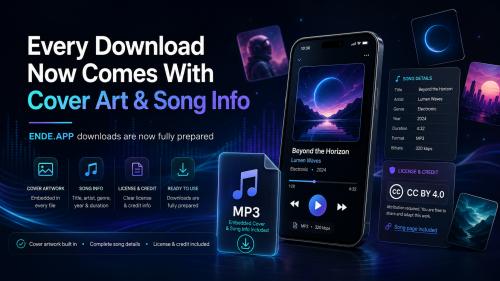
Every Download Now Comes With Cover Art & Song Info Good news! From now on, every track you download from ENDE.APP comes fully prepared: no more bare, nameless MP3 files. What's new in your downloads Cover artwork built in – Each MP3 now carries its cover image, so it shows up automatically in your music player, on your phone, and in your file browser. Complete song details – Title, artist (Sascha Ende), genre, release year and length are now embedded right inside the file. License & credit included – The Creative Commons license (CC BY 4.0) and a direct link back to the song page travel with every download, making it easy to credit the music correctly in your projects. What does that mean for you? Your downloaded tracks now look great and stay organized, whether you drop them into a video editor, build a playlist, or just browse your music collection. Everything you need to know about a track is right there in the file. And the best part: this applies to all tracks, including everything already in our library. Happy creating!
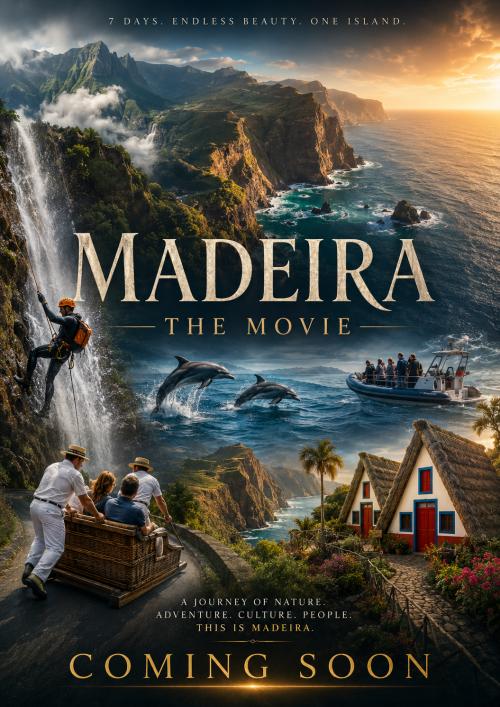
Madeira - The Movie: 7 Days. Endless Beauty. One Island. Madeira is not the kind of place you simply visit. It is the kind of place that stays with you, in the sound of the ocean, in the mist above the mountains, in the sunlight breaking through the cliffs, and in the feeling that every road leads to another unforgettable view. For seven days, we explored this extraordinary island with our cameras, capturing as many moments as possible: dramatic coastlines, green valleys, waterfalls, mountain roads, natural pools, tropical gardens, city life, and the endless Atlantic surrounding it all. The result is becoming something very special: Madeira - The Movie. But before the full film is released, you can already experience pieces of the journey - day by day - through the music created for the film. A Journey Across the Island During our week on Madeira, we travelled across the island from east to west, discovering how many different worlds can exist in one place. The eastern side showed us wild landscapes, open views, cliffs, wind, and the feeling of standing at the edge of the Atlantic. The west offered dramatic coastal roads, deep valleys, rugged mountains, and some of the most cinematic scenery we have ever seen. We filmed waterfalls hidden in lush green surroundings, natural volcanic pools shaped by lava and ocean, and landscapes that felt almost unreal in their scale and beauty. Every stop brought a different atmosphere - sometimes peaceful and quiet, sometimes powerful and raw, sometimes full of movement, people, and life. Funchal, Gardens, Cable Cars and Island Culture Of course, Madeira is not only about nature. Funchal gave the journey its own rhythm: streets full of character, warm colors, movement, city sounds, and small everyday scenes that make the island feel alive. We visited tropical gardens, took in views from the cable car, explored the city, and captured details that often say as much as the big landscapes: flowers, rooftops, narrow streets, people, boats, and the changing light over the ocean. Madeira is cinematic not only because it looks beautiful. It is cinematic because it constantly changes its mood. Music From the Film - Available Before the Release While the film itself is still in production, the music from Madeira - The Movie is already being released step by step. That means you do not have to wait for the final film to feel the atmosphere of the journey. You can already download music inspired by the scenes we filmed: ambient landscapes, cinematic ocean moments, waterfall atmospheres, dramatic mountain views, relaxed city impressions, and emotional travel themes. Each track is connected to a part of the island and to a visual memory from the trip. Together, they form a musical preview of the film. Seven Days, Countless Impressions Madeira gave us more than enough material for a full documentary-style film: the east, the west, waterfalls, natural pools, tropical gardens, cable cars, Funchal, ocean views, mountains, coastlines, and many unexpected moments in between. Now we are turning those seven days into a visual and musical journey. Until the film is ready, the soundtrack will continue to grow - one track, one mood, one memory at a time. Madeira - The Movie is coming soon. Until then, enjoy the music from the film and follow the journey day by day.
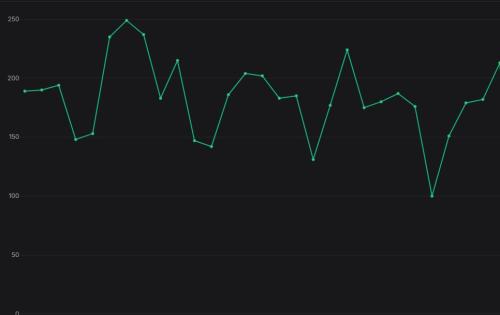
It is amazing to see, how many credits rolls are generated: Between 150 and 250 credits rolls per day - this is insane. I am glad that you love this tool. Check out the Credits Roll Generator here: https://ende.app/creator-tools/credits-roll-generator
Autozoom Screen Recorder 1.0.3 released. It now has microphone support. Have fun. https://ende.app/creator-tools/screen-recorder
I am currently focused on completing a long-term software project, which leaves me with limited time to release new music right now. Thank you for your patience and understanding! If you're interested in what I'm working on, you can check it out here: https://kooblin.com/
Studio Mixer removed from Audio Player Previously, it was possible to open the Studio Mixer directly from a player and then edit the song there. Unfortunately, a few users abused this feature to circumvent daily download restrictions. That's why I've now disabled this function. It's always a shame that some people don't play fair and think that their behavior won't have consequences for everyone else. And then some people wonder why certain functions on many websites are only accessible with accounts or subscriptions? But that's just how people are. That's why the world is the way it is.
Podcast Automixer I fixed a problem that caused the output to be mono only. Music and speech are now stereo.